XP Note Icon

XP Note

XP Note is an offline note-taking app designed specifically for creators, thinkers, writers, and anyone who wants to capture ideas without distractions. Focused on speed and privacy, XP Note embraces the "Only Essentials" philosophy: no complicated cloud features, no tracking, just you and your ideas.

Android (Play Store)

Key Features.

Personalization & Multilingual Support
01

Personalization & Multilingual Support

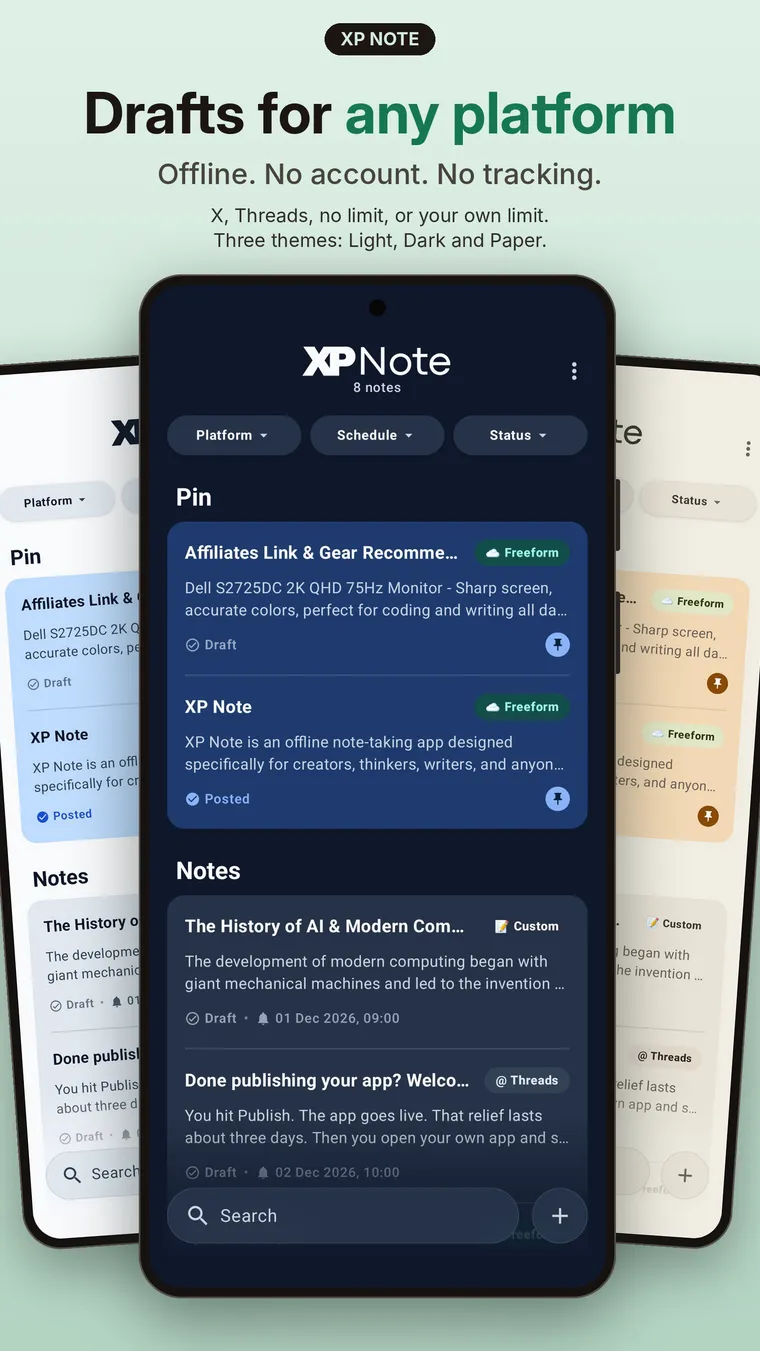
Customize your look with Light Mode, Dark Mode, or the unique "Paper" theme. The app supports 10 languages: English, Indonesian, German, Spanish, French, Japanese, Korean, Portuguese (Portugal and Brazil), and Simplified Chinese.
Rearrange Posts
02

Rearrange Posts

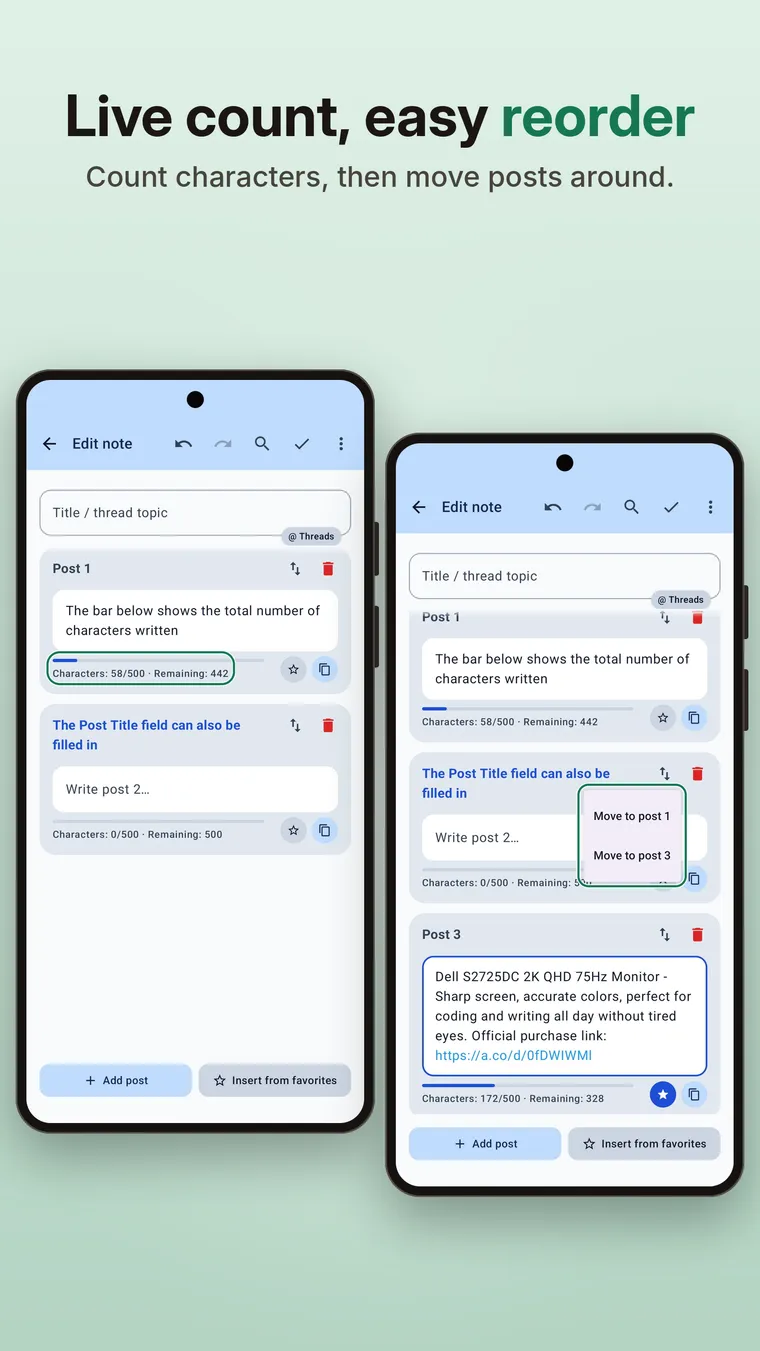
Shuffle your writing around with ease. Every post has its own title, perfect for threads and book chapters alike, and you can change the order with a single tap, with no more copy-pasting.

Responsive Floating Window
03

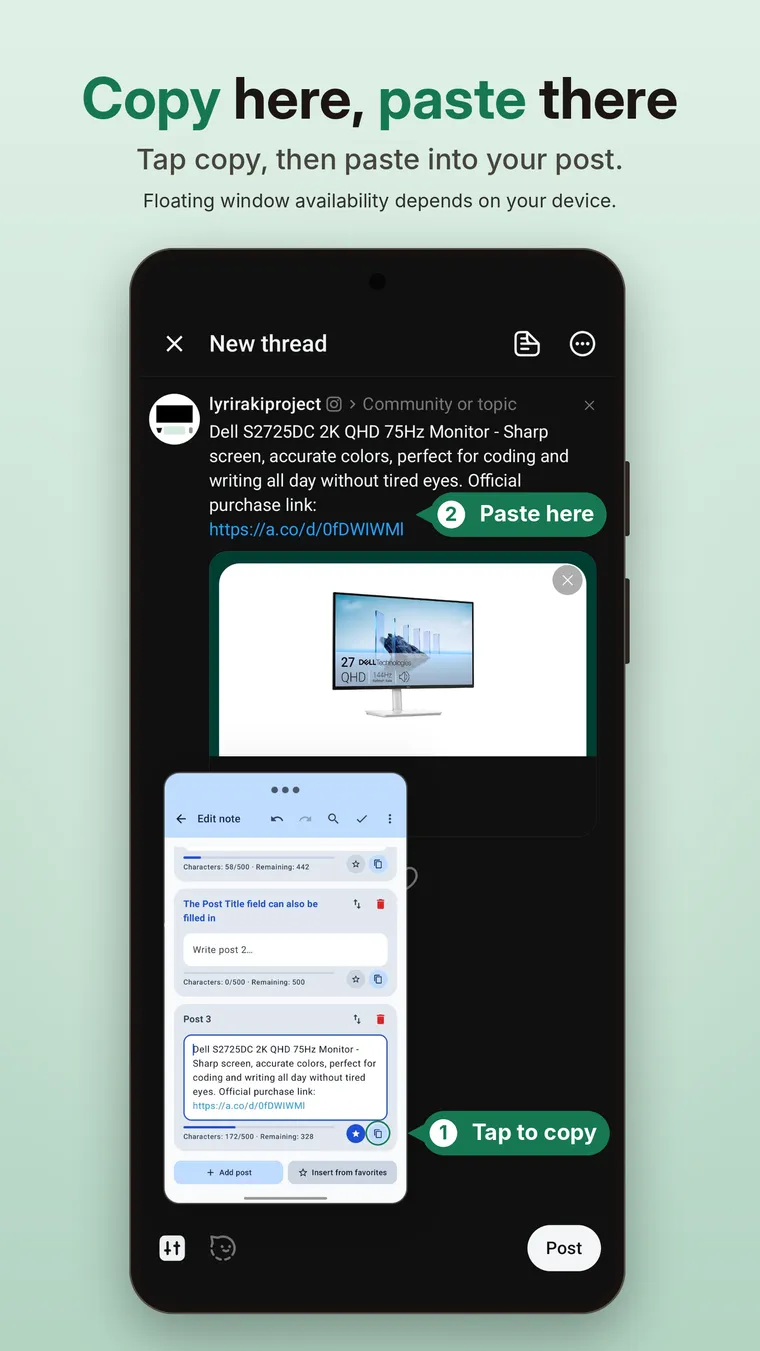
Responsive Floating Window

No more opening and closing apps. Open XP Note in a floating window or split screen (on supported phones), resize it however you like, then copy a single post or all posts at once and paste straight into your destination app.

Smart Search
04

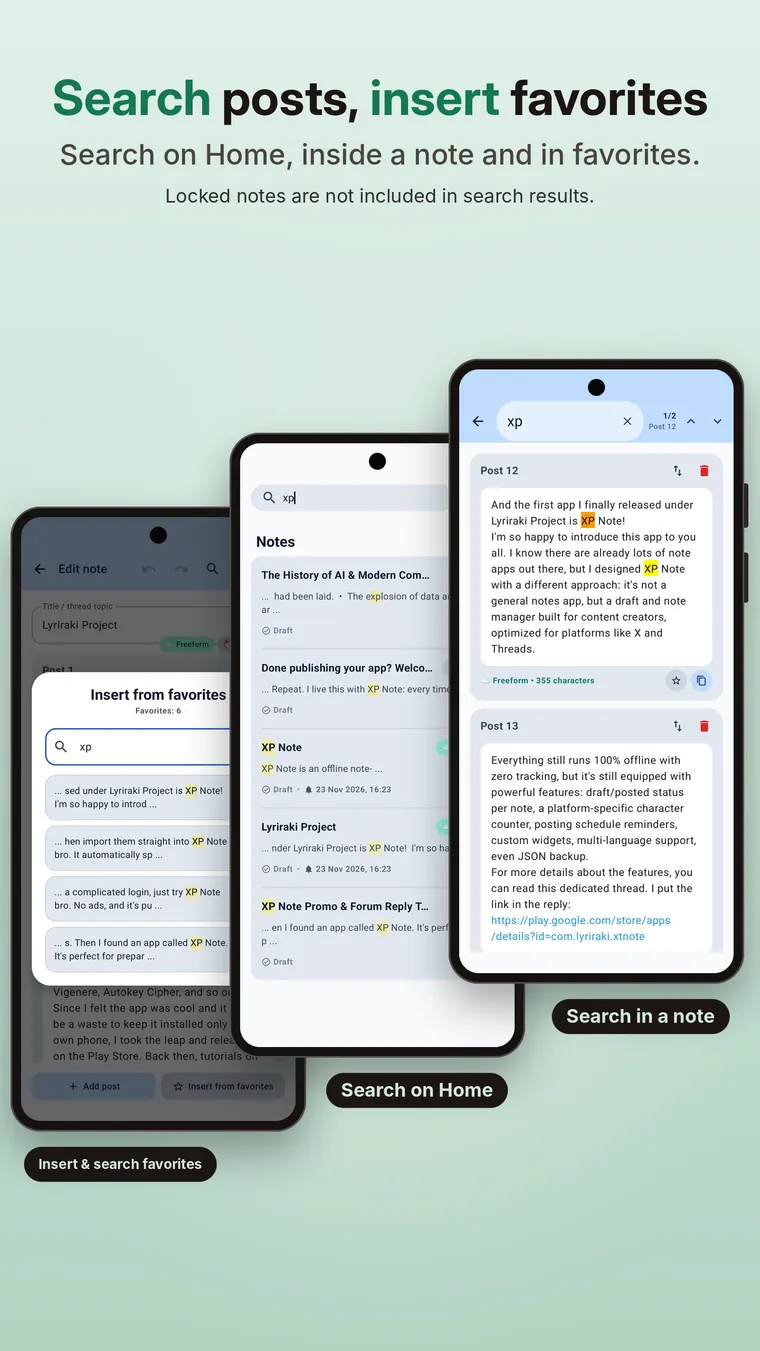
Smart Search

Find notes by title or by post content. When opened from search results, the editor jumps straight to the word you searched for and highlights it.

Character Count & Auto Truncate
05

Character Count & Auto Truncate

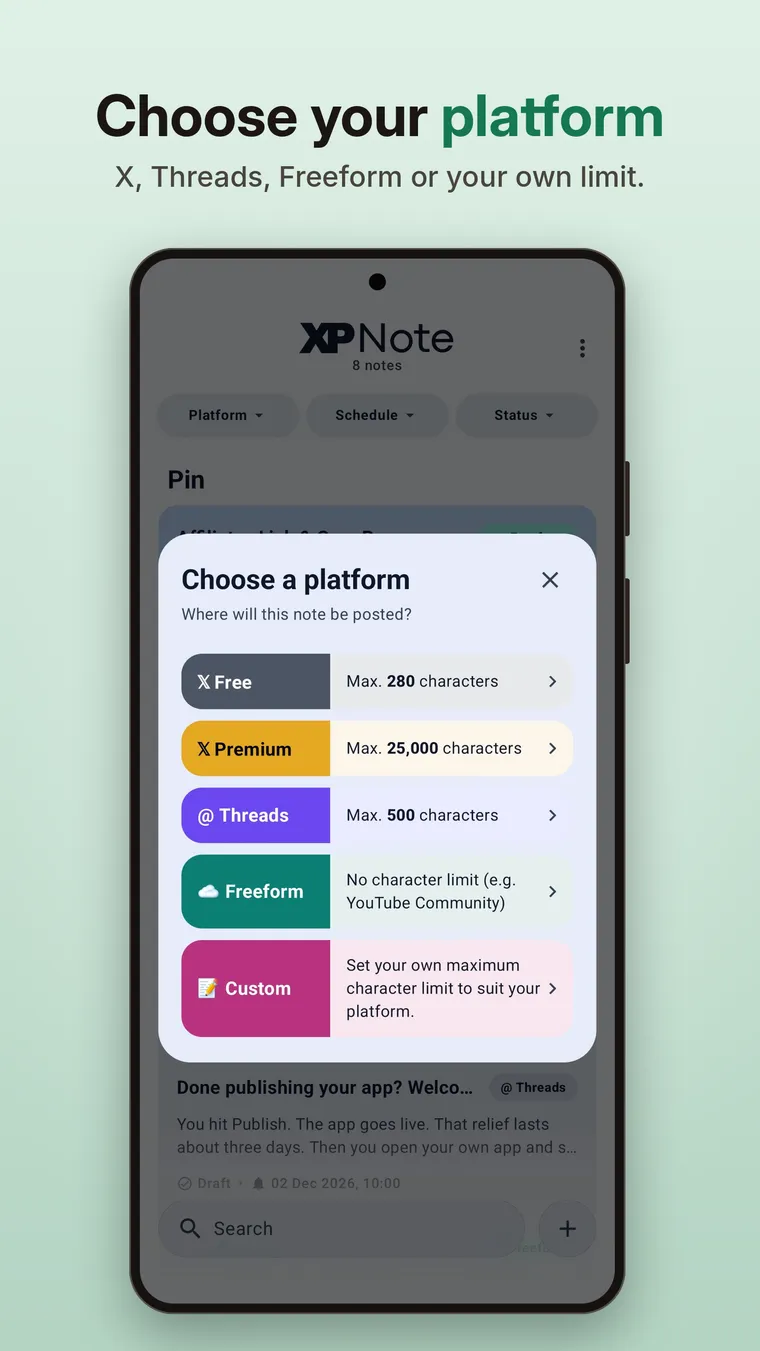
Drafts adapt to your target platform's character limits:

  • 𝕏 Free (max. 280 characters)
  • 𝕏 Premium (max. 25,000 characters)
  • Threads (max. 500 characters per post)
  • Freeform (no app-imposed limit, perfect for YouTube Community posts, blogs, or general writing)
  • Custom (a character limit you set yourself)

Pasting text that's too long? XP Note detects it right away and offers to truncate it to fit the limit or split it into multiple seamlessly connected posts. Long links are counted with each platform's own rules, so your typing space stays maximal.

Home Screen Widgets
06

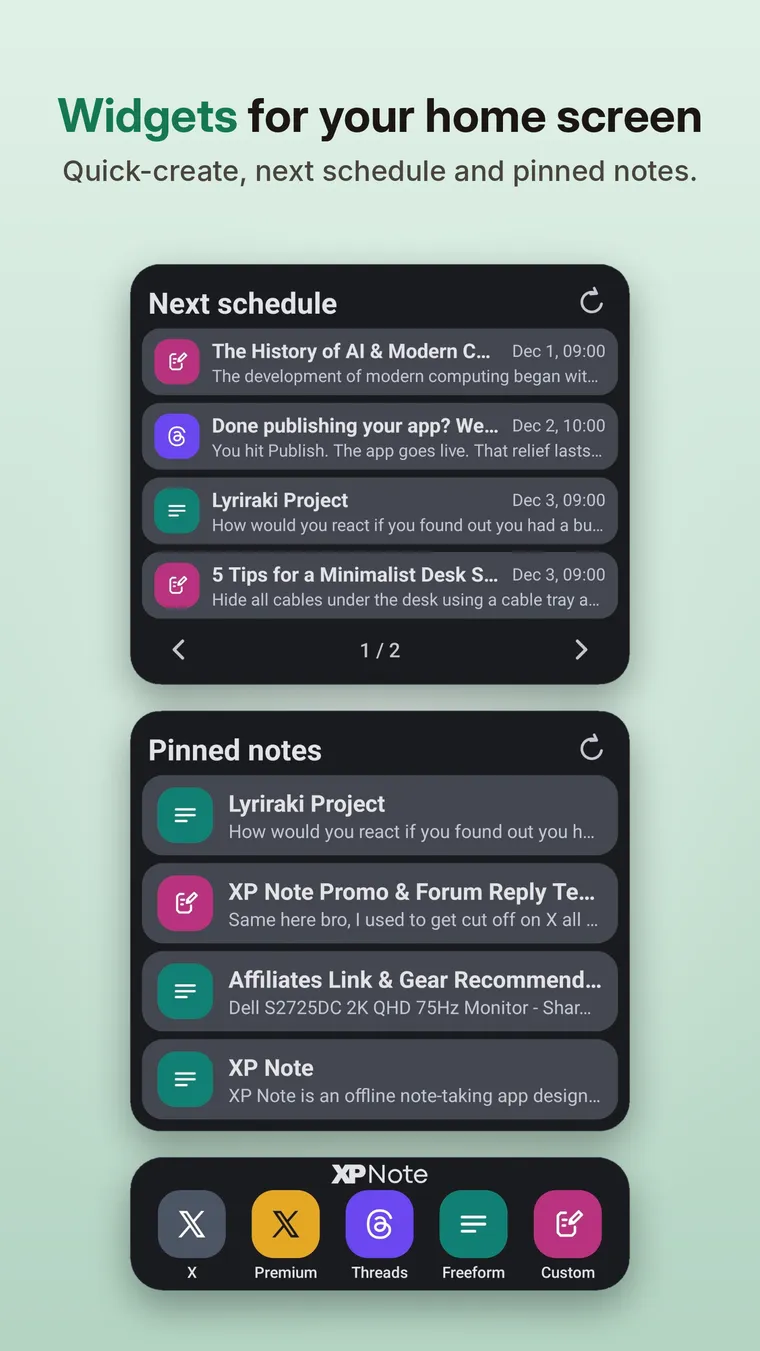
Home Screen Widgets

Capture ideas in a flash right from your home screen! The create-note widgets (vertical and horizontal) instantly start a new draft for your preferred platform with a single tap. There are also list widgets for "Next Schedule" and "Pinned Notes". All widgets automatically adapt to your device's light or dark mode.

Robust Note Management
07

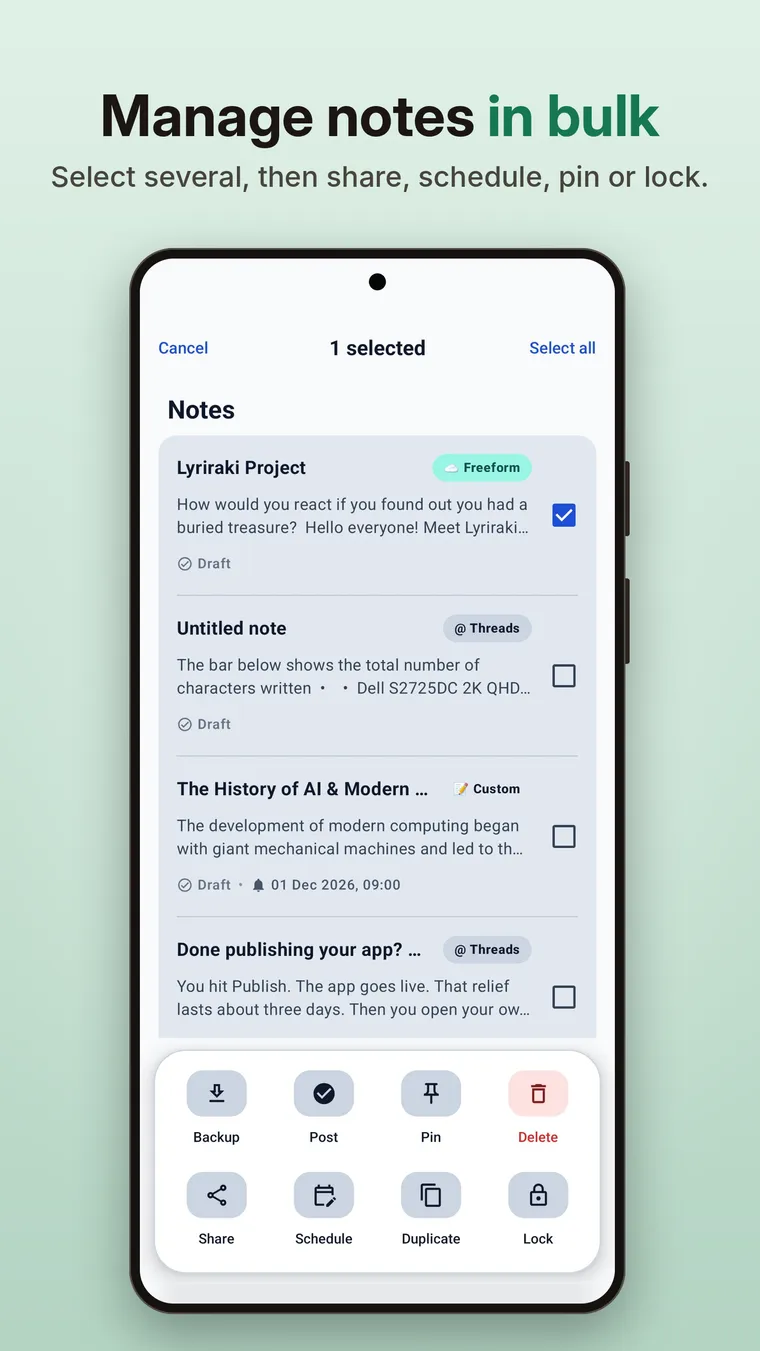
Robust Note Management

Organize notes with statuses (Draft, Posted, Scheduled), pin important notes, and set reminder alarms for scheduled posts (XP Note only reminds you; it doesn't post automatically). Manage multiple notes at once with Multi-Select, and filter the list by platform, schedule, or status.

Backup, Export, Import & Duplicate Protection
08

Backup, Export, Import & Duplicate Protection

Back up your notes to a JSON file anytime, no cloud required, or export a single note to Word or text. Import .txt and .docx files into a note. Locked notes are encrypted with an export password you create. When restoring, XP Note automatically detects duplicate notes so they aren't imported again.

Note Lock

Protect personal notes with a password and optional biometrics (fingerprint or face). Each note unlocks on its own, and locked notes don't show up in search or widgets.

Private & Offline by Design

No cloud syncing, no account, no analytics. Your notes stay on your device unless you choose to export them.

Lifetime Premium (One-Time Purchase)

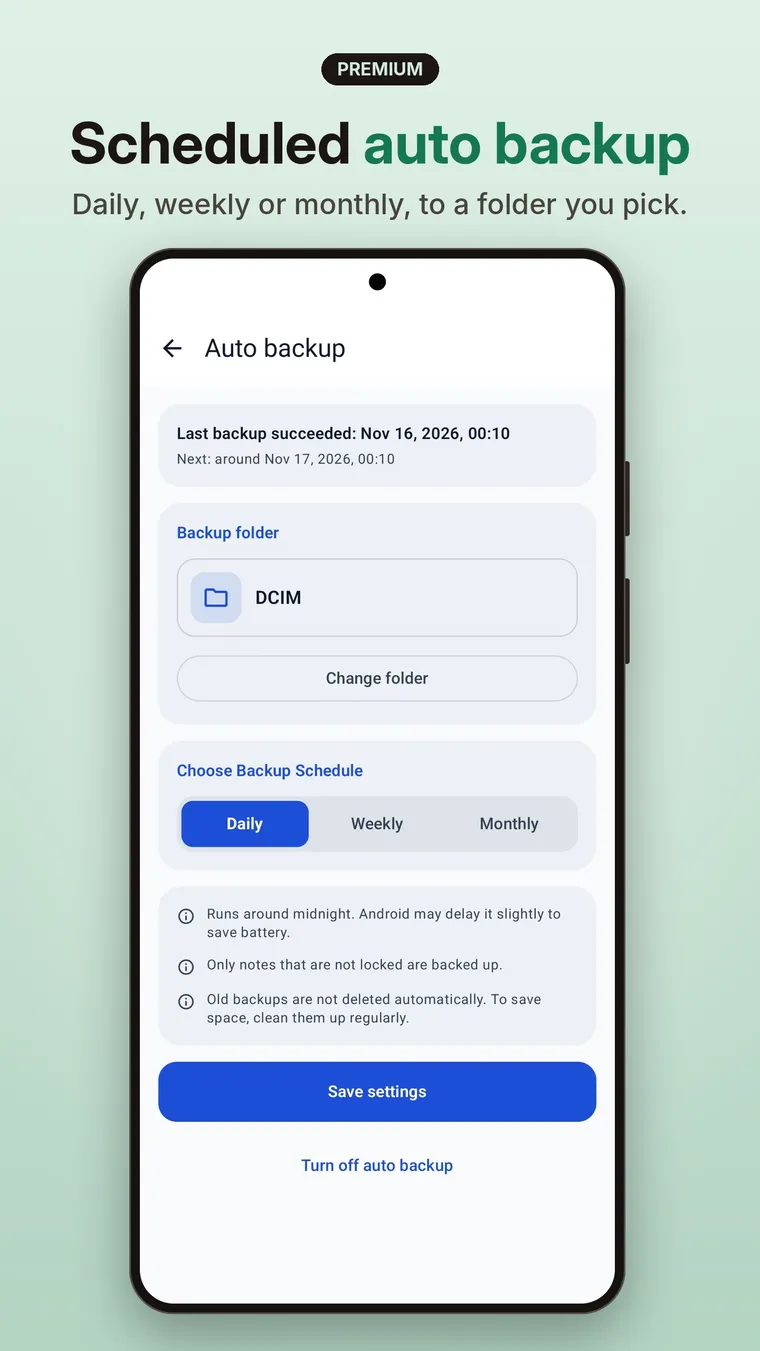
The free version allows up to 20 notes, 5 favorite posts, and 5 rows in list widgets. Unlock Lifetime Premium with a one-time payment, no subscription, for unlimited notes, unlimited favorites, all notes in list widgets, and Auto Backup to a folder of your choice (daily, weekly, or monthly). Purchases can be restored with the same Google account.